Home  |  Contact  

Email:

Password:

Sign Up Now!

Forgot your password?

MALAGUEÑOS SOLITARIOS Y AMIGOS
 
What’s New
  Join Now
  Message Board 
  Image Gallery 
 Files and Documents 
 Polls and Test 
  Member List


 ◄NUEVO DESAFÍO - 31► 
  
 ◄NUEVO TUTO ZARITA - DE NORALY► 


 ◄GENERAL► 
  
 ◄RETOS PSP► 
  
 ◄TUBES MISAE► 
  
 ◄EL DESAFIO► 


 ◄REGALOS POR PARTICIPACION► 
  
 ◄ME PRESENTO 
 ◄NUESTRO CHAT 
 ◄ZARA PARA SIEMPRE 
 ◄HERME POR SIEMPRE 
 ◄JULIETA POR SIEMPRE 
  
 ◄WEB DE MISAE► 
 ◄TUTOS MISAE► 
 ◄TUTOS MISAE -2► 
 ◄TUTOS FILTROS► 
 ◄TUTOS FILTROS-2► 
  
 ◄ADMINISTRACCIÓN► 


 ◄ BUZONES ► 
  
 ◄ROBO DE BANDA 
 ◄REFLEXIONES 
 ◄SONRIE 
 ◄CUMPLEAÑOS 
 ◄POEMAS 
 ◄POEMAS DE NUESTRA AUTORIA 
  
 ◄MI MALAGA 
 ◄NUESTRA MUSICA 
 ◄TUS RECETAS 
 ◄FONDOS MISAE 
 ◄FONDOS 
 ◄GIFTS 
  
 ◄DISEÑOS MISAE 
  
 ◄OFRES FIRMAS 
 ◄RECOGE FIRMAS 


 ◄AULA PSP 
 ◄TUTOS PSP 
 ◄PRINCIPANTES 
 ◄MEDIOS 
 ◄AVANZADOS 
 ◄AVANZADO SUPERIOR 
 ◄APRENDIENDO CON FILTROS 
 ◄RECURSOS PSP 
 ◄EXPOSICION PSP 
 ◄TUTOS ALUMNOS 
  
 ◄TUTOS MISAE 
 ◄TUTOS SUIZA BELLA 
 ◄TUTOS GUGU 
 ◄TUTOS EMILIETA 
 ◄PERMISOS TUTORAS 


 ◄EXPOSICION TAG A 6 MANOS 
 ◄GALERIA ARTISTAS 
  
 ◄TALLER DE FONDOS 
 ◄TUTOS FONDOS 
 ◄MATERIAL FONDOS 
  
 ◄TUTOS DIVERSOS 
 ◄ENVIA TU TUTO 
 ◄TODO NICK 
  
 ◄NUESTROS BANNERS 
 ◄COMUNIDADES AMIGAS 


  Tools
 
۞‏ TUTOS GUGU: TUTORIAL N° 4 WAITNG FOR YOU
Choose another message board
Previous subject  Next subject
Reply  Message 1 of 17 on the subject 
From: GUGU  (Original message) Sent: 26/05/2017 15:02
 
 
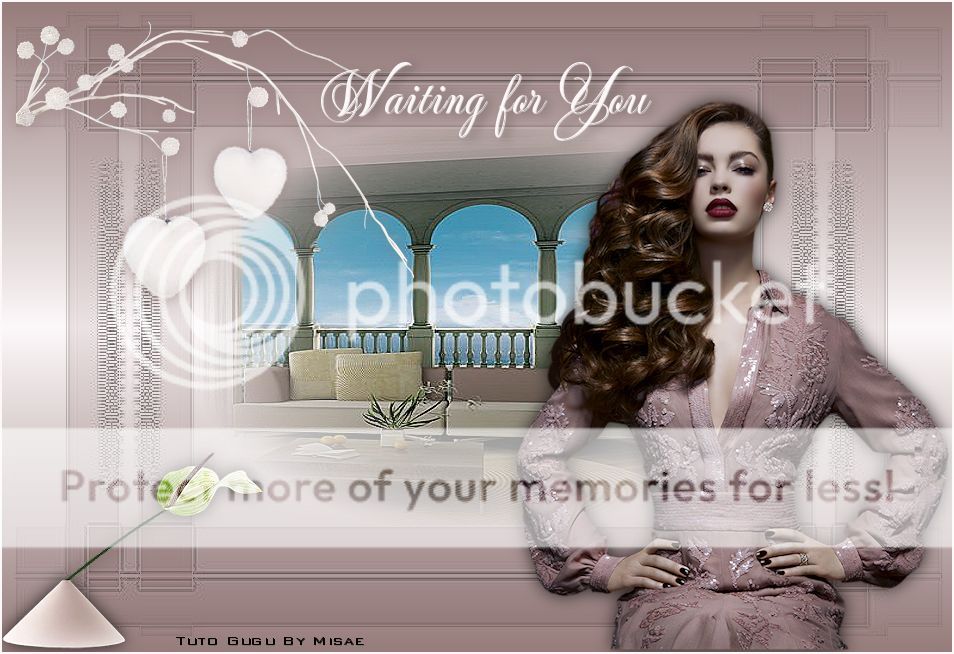
TUTORIAL WAITING FOR YOU
 
Amigas! me he animado nuevamente a pesar del poco tiempo que dispongo
muy sencillo, espero les agrade.


1.- Abrimos un paño de 950x 650
 
2.- Hacemos un gradiente Lineal primer plano #967c7b y fondo  #fcf8f9 y pintamos
 3.- Nueva capa de trama pintamos con el color #dbcfcf.
 
4.- Cargamos la máscara b7fc300f43ff71dc.... Modo de capa multiplicar y fusionar grupo.
efectos de los bordes realzar.
 
5.- Con la varita mágica seleccionar el centro de la máscaray pegar en la selección el Tube columnas de mural de papel pintado.Efectos de los bordes realzar.Anular la selección.
 
6.- Copiar Mr Winter deco,ubicarlo como el modelo darle sombra V=0,H=0opacidad 75 desdenfocar 25. color #967c7b.
 
7.- Copiar el tube de la chica, cambiar de tamaño al 80% y una vez más al 90% colocar como en el modelo.aplicarle la sombra idem al punto 6 pero cambiando el color por negro #000000. Ajustar,nitidez, enfocar.
 
8.- Copiar Mr Fuji Vase imagen espejo cambie el tamaño a 75% y otra vez más a 80%.Sombra idem al punto 6 Colocar como en el modelo.
 
Añadir bordes 2 de color #fcf8f9.
 
Firmamos y guardamos como JPGE.
 
Espero les agrade
Gugu- Mayo 2017


First  Previous  3 to 17 of 17  Next   Last  
Reply  Message 3 of 17 on the subject 
From: Yulsmarazul Sent: 27/05/2017 06:09
Amiga que  hermoso  tutorial, por  lo pronto no podre  hacerlo pronto  precisamente  entre para  avisar  que  estare ausente como  un mes más aparte  de lo  que  no  he  estado pero regresando me  voy a poner  a  hacerlo  primero  Dios!!

Reply  Message 4 of 17 on the subject 
From: corazonlatino Sent: 27/05/2017 08:14
Hola muchas gracias esta hermoso el tuto y super facil
de hacer espero no verme equivocado aunque con respecto
a la letra no dice nada de tamaño ni sombra con el debito 
respeto yo le puse sombra 
Dejo el libre trate de hacerlo lo mas parecido posible todavia me falta 
aprender muchisimo


Reply  Message 5 of 17 on the subject 
From: MISAE Sent: 27/05/2017 23:20
Jazmín que bonitos te han quedado wapaa..!

Reply  Message 6 of 17 on the subject 
From: MISAE Sent: 27/05/2017 23:22
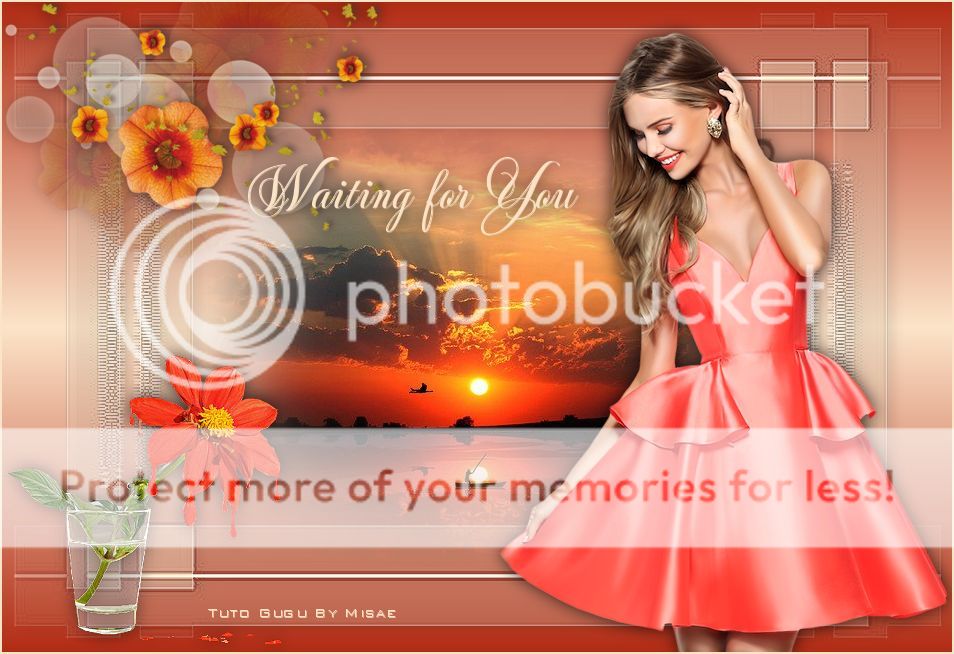
Gugu, aquí te dejo mis trabajos de este precioso tuto, espero que te gusten y que estén bien realizados..!
 
Misae


Reply  Message 7 of 17 on the subject 
From: conchyta Sent: 28/05/2017 16:12
Un tutorial muy bonito y con un resultado muy elegante Gugu
 
Te traigo el resultado del tutorial y un trabajo libre... Espero que te gusten y que esten bien hechos
 
Besos guapa
 
Conchy


Reply  Message 8 of 17 on the subject 
From: lluneta1 Sent: 28/05/2017 17:40
Mi resultado con este tutorial.

Reply  Message 9 of 17 on the subject 
From: GUGU Sent: 28/05/2017 19:43
Muy bien relizado tu trabajo Jazmín.
bellísimo tu trabajo libre
Gracias por hacerlos.
Gugu.

Reply  Message 10 of 17 on the subject 
From: GUGU Sent: 28/05/2017 19:45
Misae tu trabajo está muy bien realizado.
El libre Precioso los colores e imágenes
Muchas gracias por realizarlos.
Gugu.

Reply  Message 11 of 17 on the subject 
From: GUGU Sent: 28/05/2017 19:48
Muy bien realizado el trabajo Conchy y el libre precioso con el color y los detalles de adornos e imágenes
Gracias por realizarlos
Gugu.

Reply  Message 12 of 17 on the subject 
From: GUGU Sent: 28/05/2017 19:49
LLuneta tu trabajo te ha quedado muy bien.
Gracias por hacerlo.
Gugu.

Reply  Message 13 of 17 on the subject 
From: zara Sent: 29/05/2017 16:32
GUGU AQUI TE DEJO EL TUTO, JUNTO
CON EL LIBRE, YA ME DIRAS....ZARA


Reply  Message 14 of 17 on the subject 
From: estrellita** Sent: 29/05/2017 17:31
muy bonito tutorial gugu, dejo mis practicas


Reply  Message 15 of 17 on the subject 
From: MISAE Sent: 29/05/2017 19:04
Muchas gracias Gugu wapaa, besoss..!
Misae

Reply  Message 16 of 17 on the subject 
From: conchyta Sent: 30/05/2017 13:14
Gracias a ti guapa, por compartir con nosotros tan bonito tutorial
 
Besos
 
Conchy

Reply  Message 17 of 17 on the subject 
From: YUMA mujer Sent: 01/06/2017 18:59
Muy bonito tuto y sencillo para realizar , a veces "menos es mas" y asi es en este tuto, GRACIAS GUGU. y aqui dejo mis trabajos,,ojala esten al menos regulin,,
Abrazos
Mabel.


First  Previous  3 a 17 de 17  Next   Last  
Previous subject  Next subject
 
©2025 - Gabitos - All rights reserved